Product pages that sell
Photos, options, prices and stock laid out so the choice is easy.
An online store that takes orders and payments while you run the business, with GCash, Maya, cards and cash on delivery.
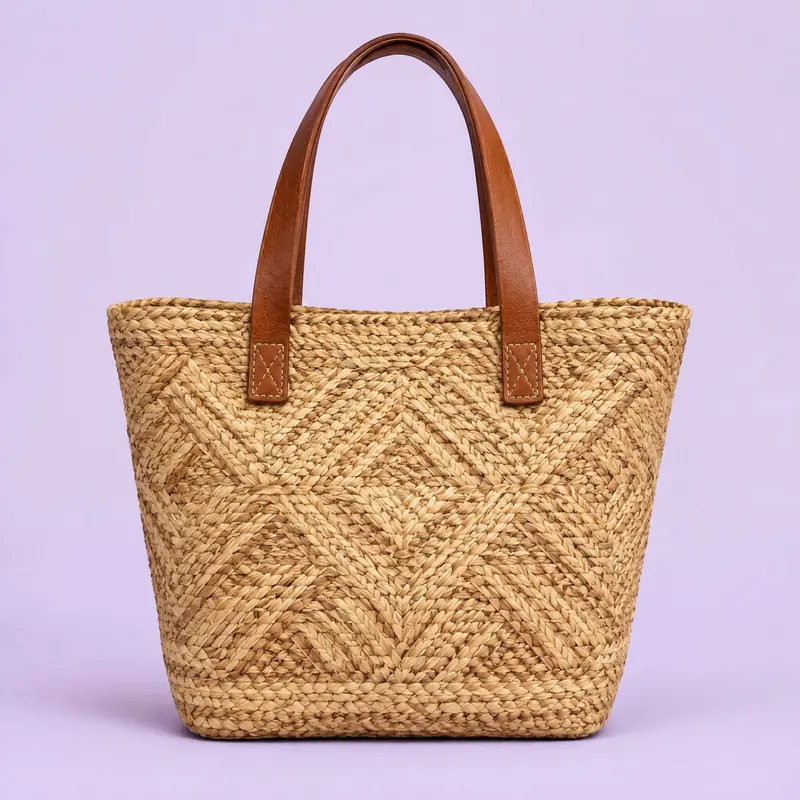
Handwoven abaca tote
₱1,450
Add to cart
Total paid₱1,570
An online store earns when each of these four moments is easy. I build for all four.
Clear photos, prices and stock on a page that loads fast.
A short checkout that asks only for what you need to deliver.
GCash, Maya, card, bank transfer or cash on delivery.
The order lands in your inbox with everything needed to send it.
Photos, options, prices and stock laid out so the choice is easy.

Shipping fees by area, pick-up options and tracking details sent to the customer.
Both are good. The right one depends on how you want to run the store, not on which is fashionable.
A store inside a WordPress website.
A store on Shopify’s own platform.
Not sure? Tell me what you sell and how many products you have, and I will recommend one.
For customers who prefer to pay when the parcel arrives.
Big buttons and few fields, made for one thumb.
A Messenger or Viber button on every product page.
Each product has a link that looks good posted on Facebook or Instagram.

New items, photos and prices in a few minutes.
Who bought what, whether it is paid and where it ships.
Vouchers and sale prices without calling me.
Simple reports on your best products and busiest days.
Yes. The store can take GCash, Maya, credit and debit cards, bank transfer and cash on delivery. Which ones are switched on depends on how you want to be paid.
WooCommerce if you want the store inside your WordPress site, on your own hosting, with no monthly platform fee. Shopify if you would rather have hosting and checkout handled for you, for a monthly fee paid to Shopify. I recommend one after hearing how you sell.
Keep selling there. Your own store adds a place where customers buy from you directly, without marketplace commissions and without your competitors listed beside you. It also gives you your customers’ contact details for repeat orders.
Yes. Adding a product is a simple form with the name, price, photos and stock, and you get a walkthrough session on your own store. Prices, stock and sale items can be changed any time.
You decide. Fees can be set by area, by weight or as a flat rate, with free shipping above an order amount and pick-up as an option. The customer sees the fee at checkout before paying.
Tell me about your business. You get a clear plan and a fixed quote, in plain language.